See more. Hunt less.
Featured picks, popular titles, live rows, and history are arranged for quick remote navigation.
A modern IPTV player for Apple TV
Your TV service becomes a living catalog: profile-specific recommendations, cinematic movie and series pages, and connected discovery through actors, directors, and genres.
The ten-foot experience
XTREAM IPTV PLAYER PRO turns service data into an interface built for scanning, choosing, and getting back to what you were watching.
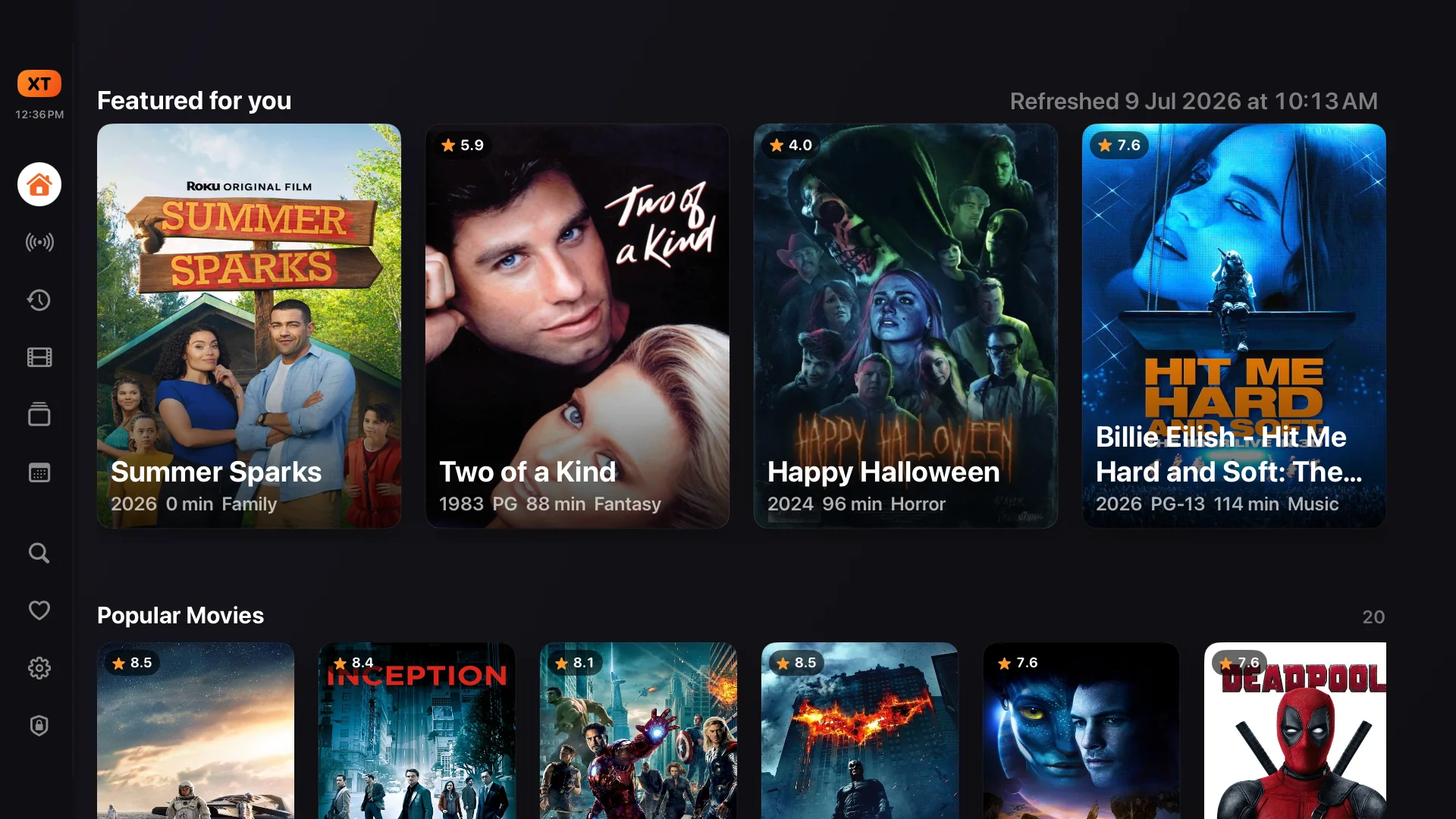
Featured picks, popular titles, live rows, and history are arranged for quick remote navigation.
Clear states, stable layouts, and legible metadata keep every movement predictable across the room.
Local indexing and progressive loading keep discovery responsive as artwork and details arrive.
Household users
Every person can open a persistent user profile with its own avatar, viewing history, favorites, feedback, reminders, and recommendations. An administrator decides which service and which parts of that service belong to each user.

Advanced recommendation algorithm
Every profile develops its own taste map. XTREAM IPTV PLAYER PRO combines positive and negative preferences with cast, genre, director, quality, and context signals, then checks every result against what the active service really carries. Rich cast, biography, and discovery context becomes available when metadata is configured.
Favorites, likes, dislikes, and direct actor, director, and genre preferences become positive and negative taste signals.
Cast and genre affinity lead the score, with director fit, rating confidence, vote depth, popularity, and recency adding context.
Discovery candidates are matched back to the active service catalog, so recommendations point to titles the profile can actually open.
Watched, disliked, hidden, unavailable, and profile-restricted results are excluded before the recommendation rows are shown.
The result
Row labels and item reasons explain their angle instead of hiding behind a generic recommendation label. They can follow an actor, a genre, or the mix of signals that makes a title relevant to this profile now.
Movie intelligence
Minions is more than a poster and a Play button. The detail page brings the story, decision-making metadata, playback, feedback, parental control, trailer, and connected credits together without leaving the television experience.

Tagline, synopsis, score, year, certification, runtime, and genres answer the questions that matter before playback.
Favorite, like, dislike, or hide a title. Each profile's choices feed its own browsing and recommendation experience.
Start playback, require a PIN, open the trailer, or resume a partially watched title directly from the detail page.
Cast, director, and genre labels are navigable paths into the titles connected to the one already on screen.
Connected discovery
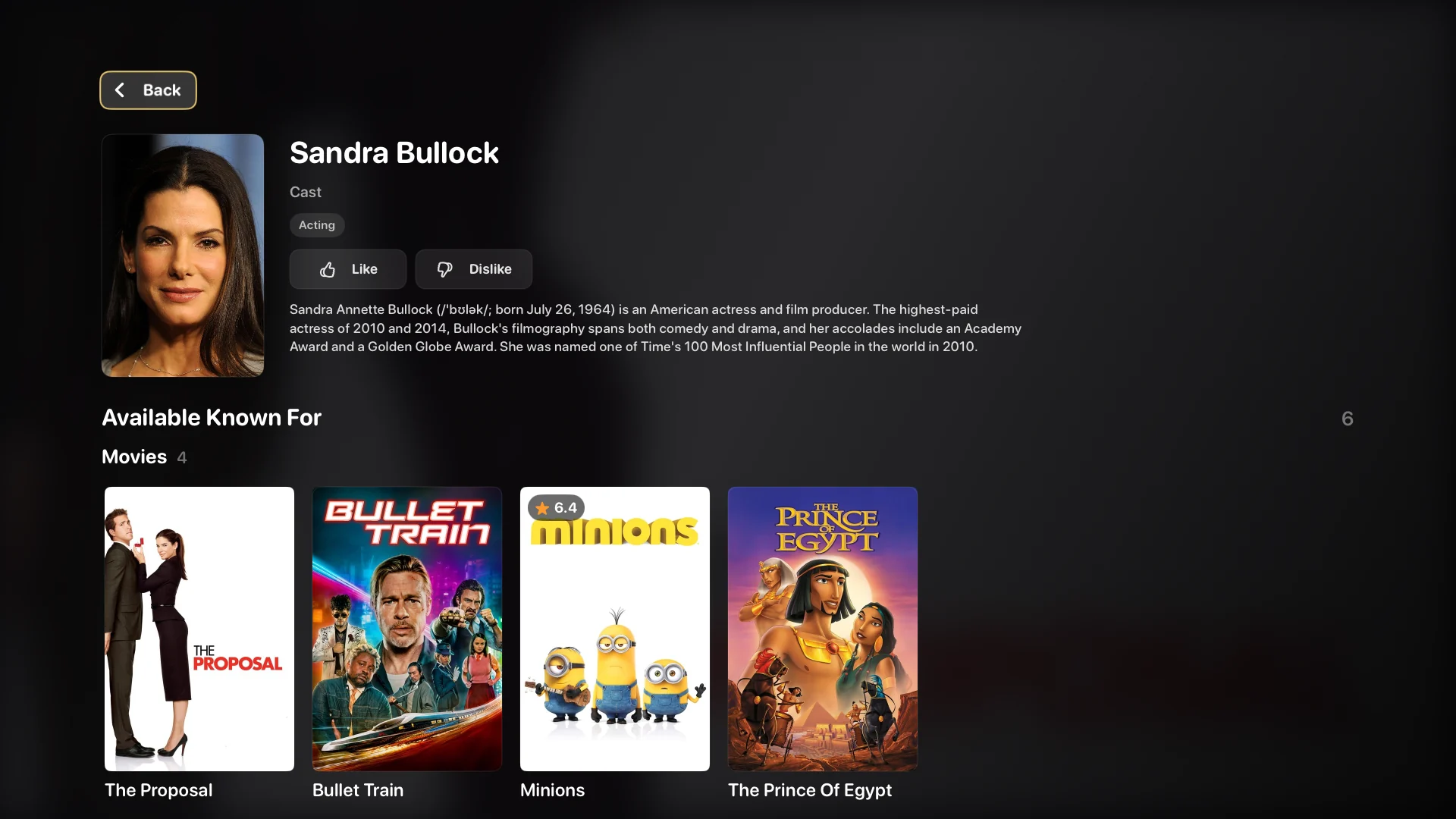
Select Sandra Bullock from the Minions cast and the app opens a real discovery page: profile image, biography, department, preference controls, and the work from that person that is actually available in the current service.
Open Minions and move into its cast list.
Select Sandra Bullock for context beyond the credit.
Browse available known-for movies and tune actor preference for this profile.
Search made for the remote
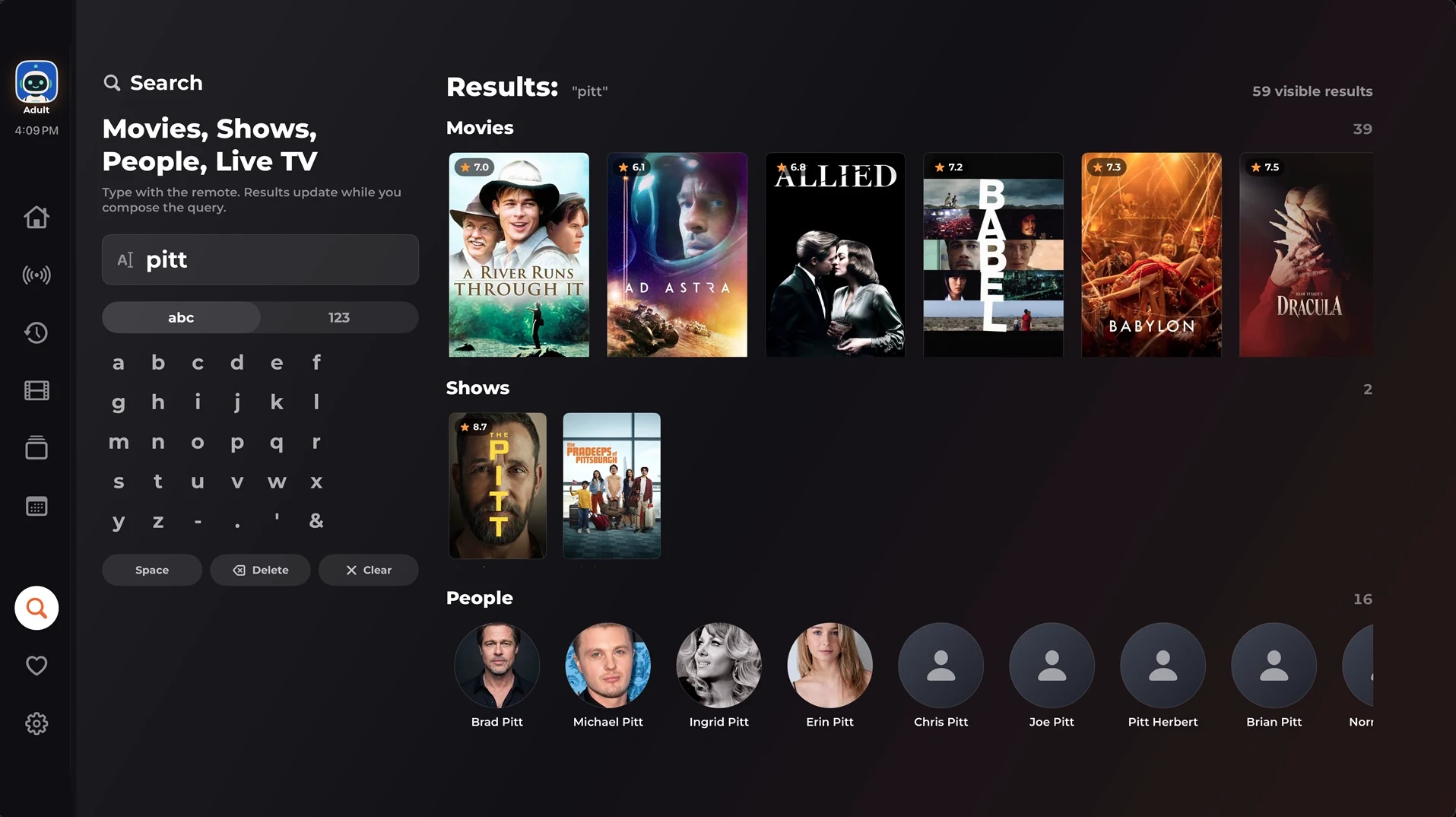
The built-in on-screen keyboard updates results while you compose a query. Movies, shows, people, and live channels remain visible in one result surface, with paging for catalogs that do not fit in a single row.
Series without the maze
Series pages connect rich show metadata to seasons and episodes. Search within a season, see progress and state at a glance, resume an episode, or let the remaining season queue continue naturally.
Artwork, number, title, synopsis, runtime, progress, favorite state, and PIN state stay visible while choosing.
Cast, creators, and genres open the same discovery system used by movie pages.
Resume prompts and queued next episodes reduce the work between deciding and watching.
Electronic programme guide
The EPG turns schedule data from your TV service into a timeline made for the television. Scan several hours at once, keep the current moment in view, and read the selected programme before changing the channel.
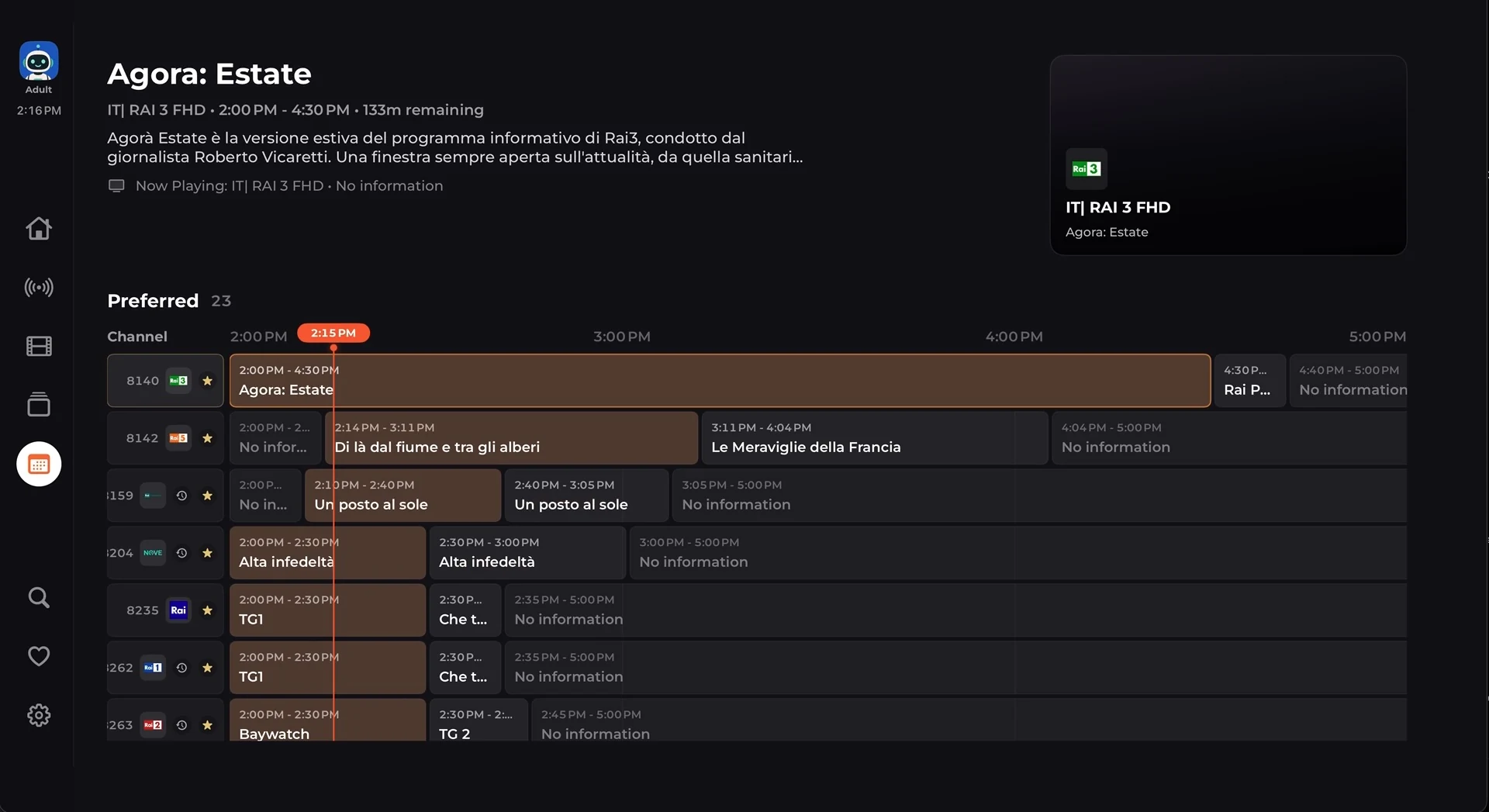
A visible time marker crosses every channel row, so the current moment never gets lost in the grid.
See channel, start and end time, remaining duration, and synopsis for the selected programme.
Favorites stay together while channel logos and programme blocks keep the schedule easy to scan.
Set profile-specific reminders or reach catch-up directly when the connected service supports it.
Catch-up television
Catch-Up brings archive-enabled channels and their recent schedules into one remote-first view. Search for a channel, see how far its archive reaches, and choose a broadcast by time and title instead of guessing from a stream.
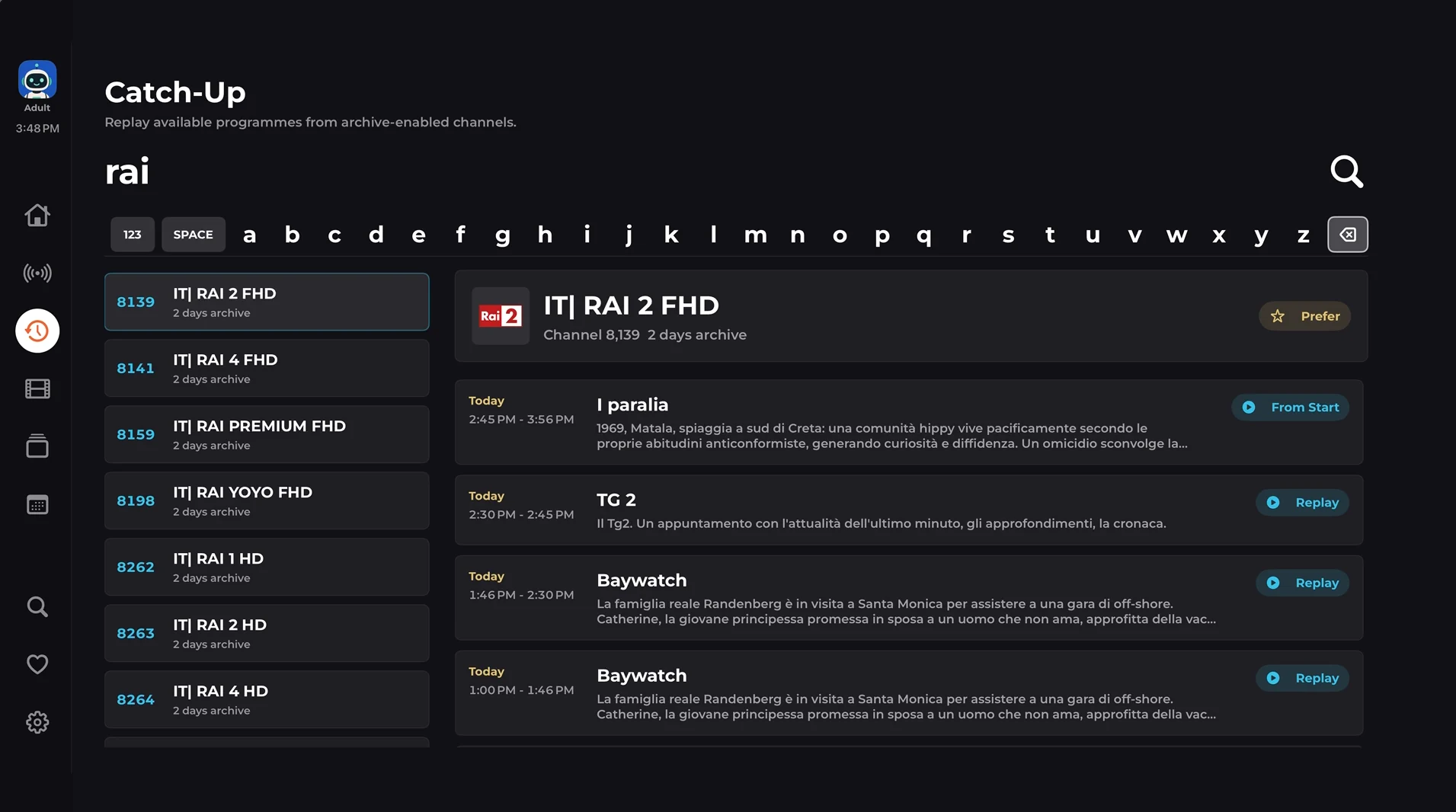
The on-screen keyboard filters archive-enabled channels while you type.
Each channel shows how many days of programming the service currently retains.
Date, start and end time, title, and synopsis identify the programme before playback.
From Start restarts the current programme; Replay opens a completed archived broadcast.
The complete experience
Discovery, detail, live television, household controls, organization, and playback work as one system instead of a collection of disconnected screens.
Weighted taste signals, quality, recency, and availability produce rows that change with each profile.
Backdrop, synopsis, rating, certification, runtime, genres, trailer, cast, director, playback, and feedback in one view.
Open cast and creator profiles, read biographies, tune preferences, and browse their titles available in your service.
Move from show to season to searchable episodes, then resume where you stopped or queue what comes next.
Find channels, programs, movies, shows, episodes, actors, directors, and genres from a remote-friendly surface.
Browse channels and schedules, understand what is on now and next, and reach available catch-up without losing context.
Resume movies and episodes, start over when needed, and carry progress into focused continue-watching rows.
Favorite, like, dislike, or hide titles and refine actor, director, and genre preferences per profile.
Keep tastes and history separate, apply age-aware restrictions, and protect titles or administration with a PIN.
Rename, hide, sort, and rearrange browsing rows and categories to match the way your household watches.
Artwork, ratings, credits, genres, certification, runtimes, biographies, and trailers add context to every choice.
Choose audio, subtitles, playback speed, resume point, and queue behavior from a focused player interface.
Save multiple compatible accounts, switch between them, and assign the right service to each household user.
Choose which app sections and catalog categories a user can open, then hide or PIN-protect individual titles.
Create profile-specific program reminders and surface them inside Home, Live TV, and the guide without mixing households.
Automatic native and VLC-backed playback paths, retries, diagnostics, and format-aware fallback handle more real-world services.
SQLite-backed indexing, progressive rows, paged search, and artwork loading keep huge libraries practical on Apple TV.
Unsupported Live TV, catch-up, movie, series, and guide sections stay out of the way when a provider does not offer them.
Administrator mode
Account management and household policy live in a dedicated administrator space. Add or switch services, inspect account status, schedule refreshes, manage metadata, review restrictions, and diagnose playback without crowding a viewer's home screen.
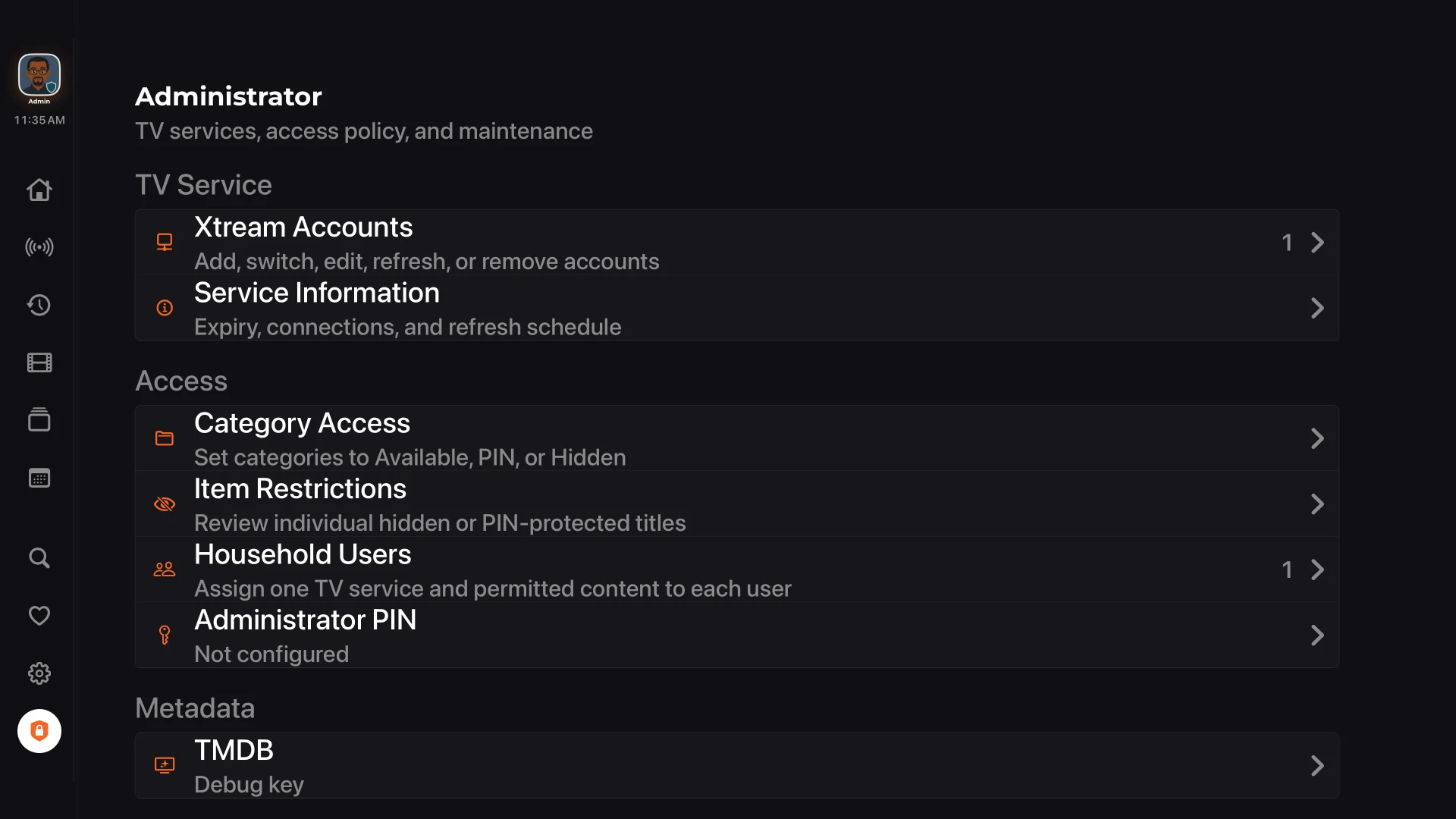
Make it yours
Tune browsing density, subtitle appearance, metadata, categories, refresh timing, user switching, and access policy from interfaces made for the Siri Remote.
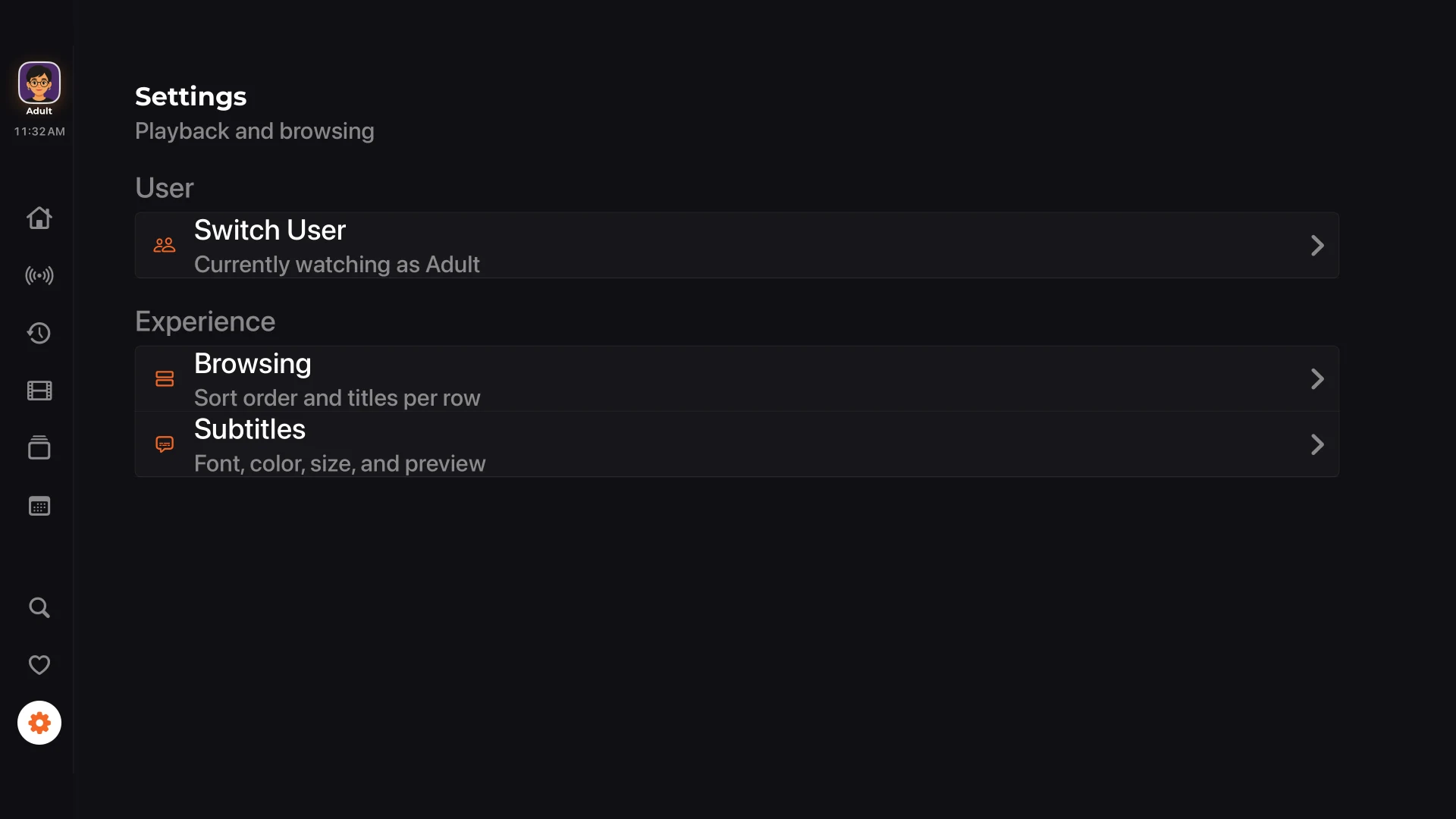
Start without guesswork
You only need an Apple TV, an internet connection, and credentials for a TV service you are authorized to use. XTREAM IPTV PLAYER PRO does not sell or include channels.
From the left sidebar, choose the shield icon. Enter your administrator PIN if you have enabled one.
Choose TV Services, then select Xtream as the account type. The app can keep more than one saved account.
Add a private display name, the base Server URL supplied by your provider, your Username, and your Password. Do not paste a browser login page or a full player_api.php link.
Select Manual, Daily, Every 3 days, Weekly, Every 2 weeks, or Monthly. Daily is a practical starting point for most accounts.
Choose Validate and Add. XTREAM IPTV PLAYER PRO checks the account before saving it, then begins preparing the catalog.
Large libraries can take a little time on the first pass. Keep the app open until the refresh completes, then return Home to start browsing.
Use the values from your TV service. Never share them publicly.
Use the sidebar to move between Home, Live TV, Catch-Up, Movies, Shows, TV Guide, Search, Favorites, Settings, and Administrator Mode. Hold on supported library tabs to reach category controls quickly.
When something does not look right
Re-enter the Server URL, Username, and Password exactly as supplied. Check capitalization and remove accidental spaces. Confirm that the same account is active with your provider and has not exceeded its connection limit.
Open Administrator Mode, select the saved account, and choose Refresh. Leave the app open until the progress overlay completes. Very large catalogs may need more time for artwork and metadata to appear.
Guide information comes from your TV service. Refresh the account first, then check another channel. Some services simply do not provide guide data for every channel.
Try another title to separate a single-stream problem from an account problem. Then check your internet connection, provider connection limit, and whether the stream format is currently available from your service.
In Administrator Mode, make sure the intended saved account is marked In Use, then refresh it. The Home screen updates after the active account finishes indexing.
Private by design
No website sign-in, no credential form, no advertising profile, and no service upload. Your service details are entered only inside the app.
The essentials
No. XTREAM IPTV PLAYER PRO is a player for a compatible service you already have and are authorized to use.
Your provider's Xtream Server URL, Username, and Password. A private Display Name helps you recognize the account in the app.
Yes. Administrator Mode keeps saved accounts together, and each household user can be assigned to the appropriate service.
Viewing history, progress, favorites, likes, dislikes, reminders, restrictions, and recommendation signals stay with that user.
Configure your own TMDB credential in Administrator Mode. The app then uses it for artwork, credits, biographies, ratings, trailers, and discovery metadata.
No. It is optional, but recommended when accounts, profiles, or restrictions should not be changed by everyone.
Large services can contain many thousands of channels and titles. The app indexes the catalog and progressively prepares artwork and metadata.
Only from your TV service provider. This website and the app cannot create, recover, or sell service credentials.
XTREAM IPTV PLAYER PRO
Apple TV release information and the App Store link will appear here when available.